How I Cleared 20GB of node_modules with npkill
There’s an old running joke in the web dev community that the heaviest object in the universe isn’t a black hole, it’s a local node_modules folder. I used to laugh at those memes, until my own laptop decided to take them literally.
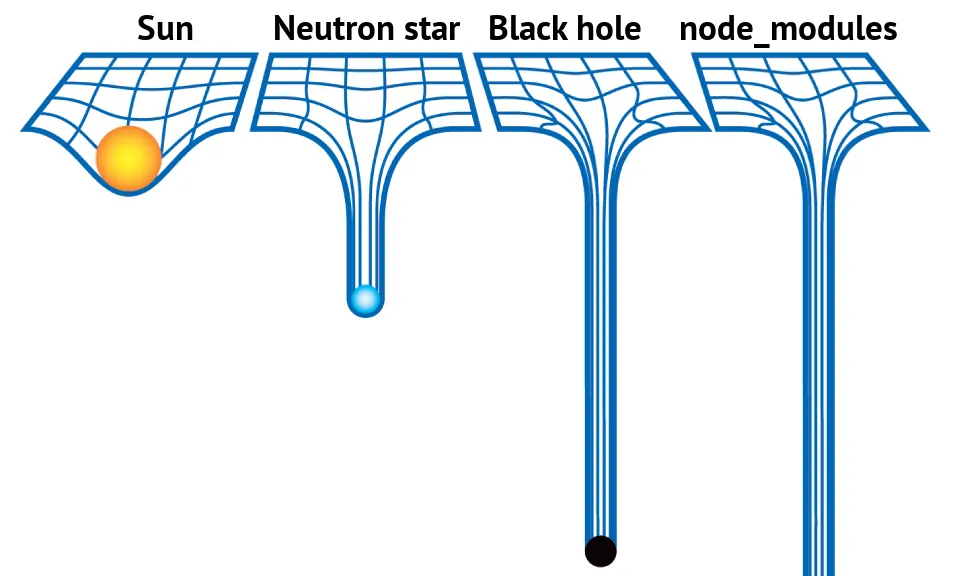
I have a really bad habit of letting old coding projects pile up on my drive. My weekend workflow usually goes like this: get a random burst of inspiration, run a create-next-app or npm create astro boilerplate command, write code for about two hours, get distracted, and completely abandon the project lol.
In my head, a few half-finished folders of plain text are harmless. They’re just kilobytes of code. But I completely forgot about the absolute monster hiding inside all of them.
One day, I opened File Explorer and realized I was about to run out of disk space. So I started deleting random stuff. Old files in Downloads, browser caches, unused installers, basically anything I thought was taking up space. It helped a little, but not much.
Then I remembered hearing about a terminal utility called npkill.
I opened it expecting to maybe free up a gigabyte or two.
Instead, I found over 20GB of duplicate node_modules folders buried inside old abandoned projects from months ago.
Watching them disappear one by one was weirdly satisfying.
#What is npkill?
If you build things with JavaScript or TypeScript, you already know the drill. Every experiment, tutorial project, or random GitHub clone creates its own massive dependency tree. These folders are chunky, easily sitting anywhere from 200MB to well over 1GB each.
Finding and deleting them manually through Windows File Explorer takes forever. That’s where npkill comes in.
npkill is an interactive CLI tool built specifically to find and destroy these hidden folders instantly.
#Why it’s awesome
- Direct hit: It solves the exact painful reality of
node_modulesbloat. - Interactive UI: No digging through deeply nested folders in File Explorer.
- Blazing fast: It scans your drive and lists targets within seconds.
- Zero friction: No global installation required. Just run it and go.
#How to Use It
The best part about npkill is that you don’t even need to install it globally on your machine. You can invoke it instantly using npx:
npx npkillOnce you hit enter, a clean terminal UI prints out a running tally of paths, their exact sizes, and when they were last modified:
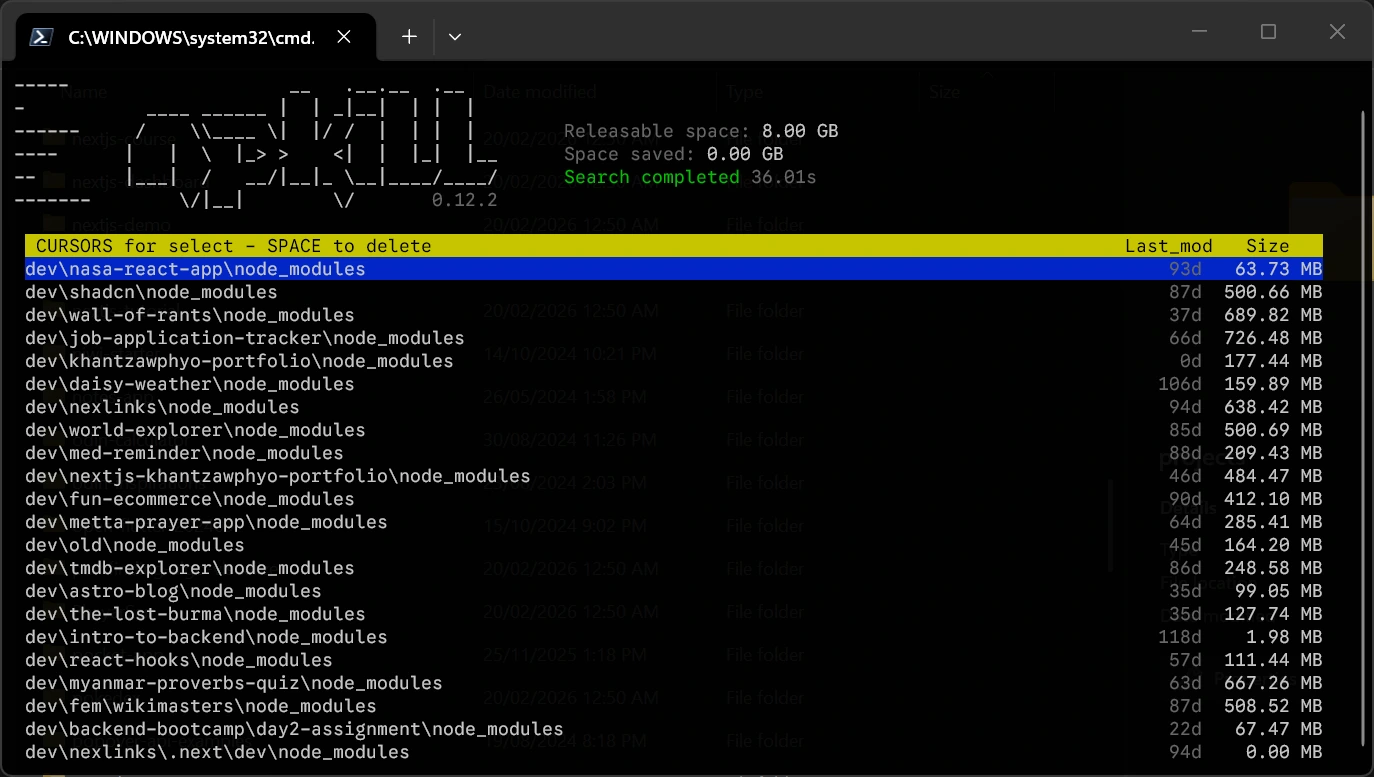
Use the arrow keys ↑ ↓ to move up and down the list, press Space to delete a folder instantly, and press q (or Ctrl + C) to quit.
#Handy tricks
#1. Scan a specific folder
By default, npkill scans downward from wherever your terminal is currently sitting. You can target your development directory directly by passing the path flag:
npx npkill -d C:\Users\Username\code\projects#2. Sort by size
You can sort discovered folders by size:
npx npkill --sort-by size#3. Filter by size
Only show massive folders larger than 500MB:
npx npkill --greater-than 500#Things to keep in mind
-
Deleting a
node_modulesfolder does not affect your actual source code. However, you will need to run a freshnpm installbefore running or building that project again. -
Don’t wipe out dependencies for an active project unless you’re completely fine waiting for a full reinstall later.
-
If you work inside a monorepo or shared workspace setup, double-check before mass deleting dependencies across active projects.
#Next Steps: Switching to pnpm
Deleting 20GB of junk felt great, but realistically, I know this is going to happen again.
I’m constantly creating random side projects, cloning repositories, testing frameworks, and abandoning half of them a few days later. Eventually all those node_modules folders pile up again.
So after this cleanup, I finally decided to switch my workflow over to pnpm.
Unlike npm, pnpm stores dependencies in a shared global location instead of duplicating them across every project, which saves a surprising amount of disk space.
I’ll probably write another post soon about how I migrated everything over and how much storage it actually saved me.